The road-trip layer your Tesla was missing

Build the drive before the drive.

Shape a multi-stop route, make every stop useful, rehearse what happens, and send the whole plan to a compatible Tesla when you are ready to roll.

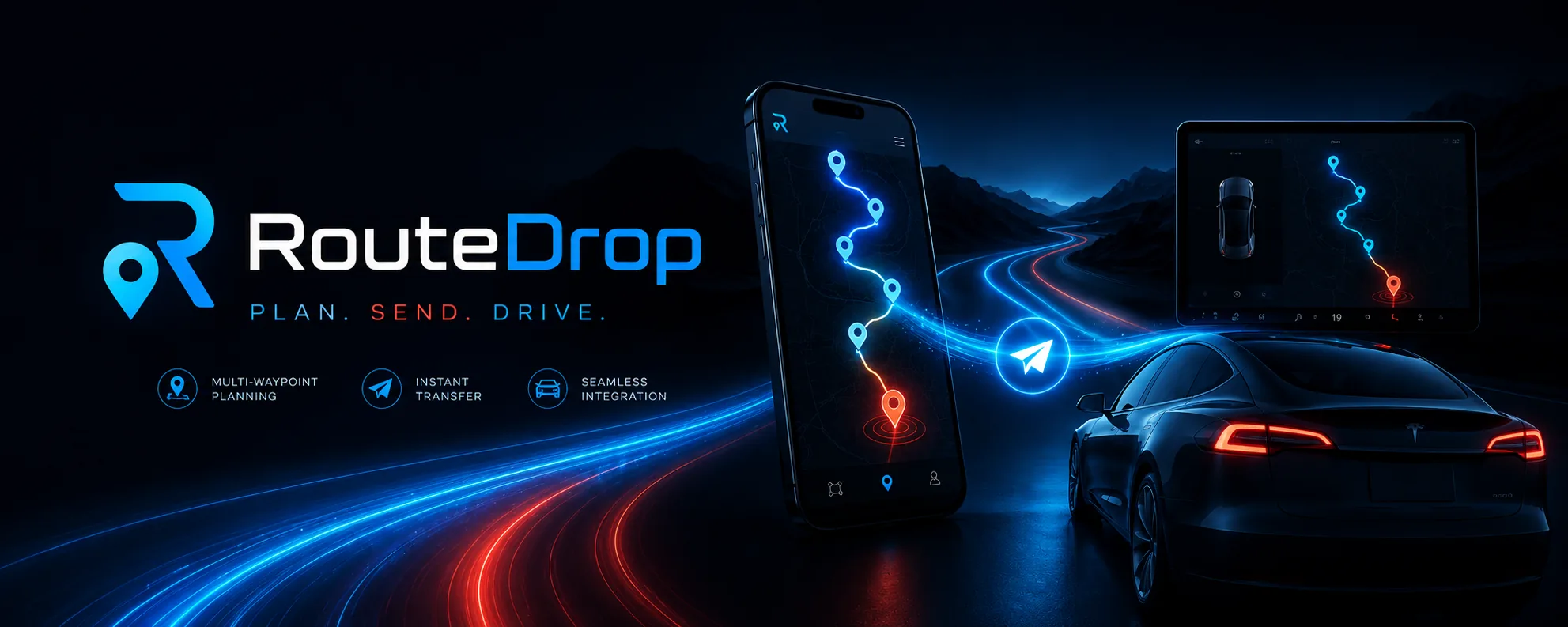
RouteDrop EV planning a multi-stop road trip across iPhone, iPad, and a compatible Tesla
Local-first libraryRoutes, Trips, media, and photos work offline and sync privately through iCloud.
Ordered stop actionsUp to 16 actions run in the order you choose.
Real road rehearsalSimulate triggers along routed road geometry.
Tesla-aware sendingSee wake, pairing, compatibility, and delivery.

Plan it your way

Start anywhere. Make the route yours.

Search places, tap the map, arrange the stops, build a Trip, borrow a curated drive, or let I’m Feeling Lucky find nearby businesses and places worth exploring.

Routes & Trips

Shape the exact drive you have in mind.

Use custom icons, colors, labels, notes, photos, estimated distance and time, charging layers, enabled stops, drag-to-reorder, and drive-time optimization. Group related routes into a shareable Trip without flattening them into one.

Explore route planning
Stop Actions

Make the approach part of the experience.

Play a chime, speak a story, show photos, pause music, open media, run a Shortcut, notify the driver, or hand off to another route.

See every action

From map to dashboard

From route plan to Tesla, every step stays visible.

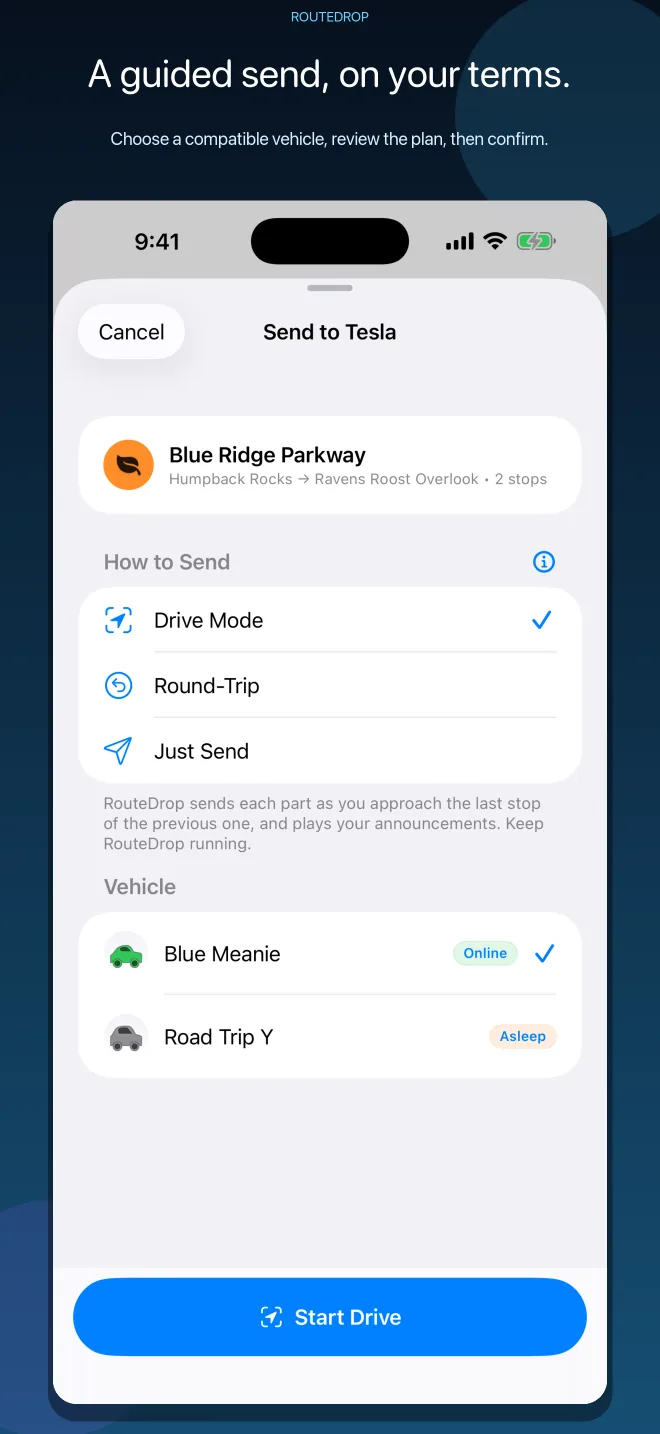
Review the route, choose Drive Mode, Round-Trip, or Just Send, pick the Tesla, and follow each step. Long routes stay organized into parts instead of becoming a series of disconnected sends.

See the whole drive

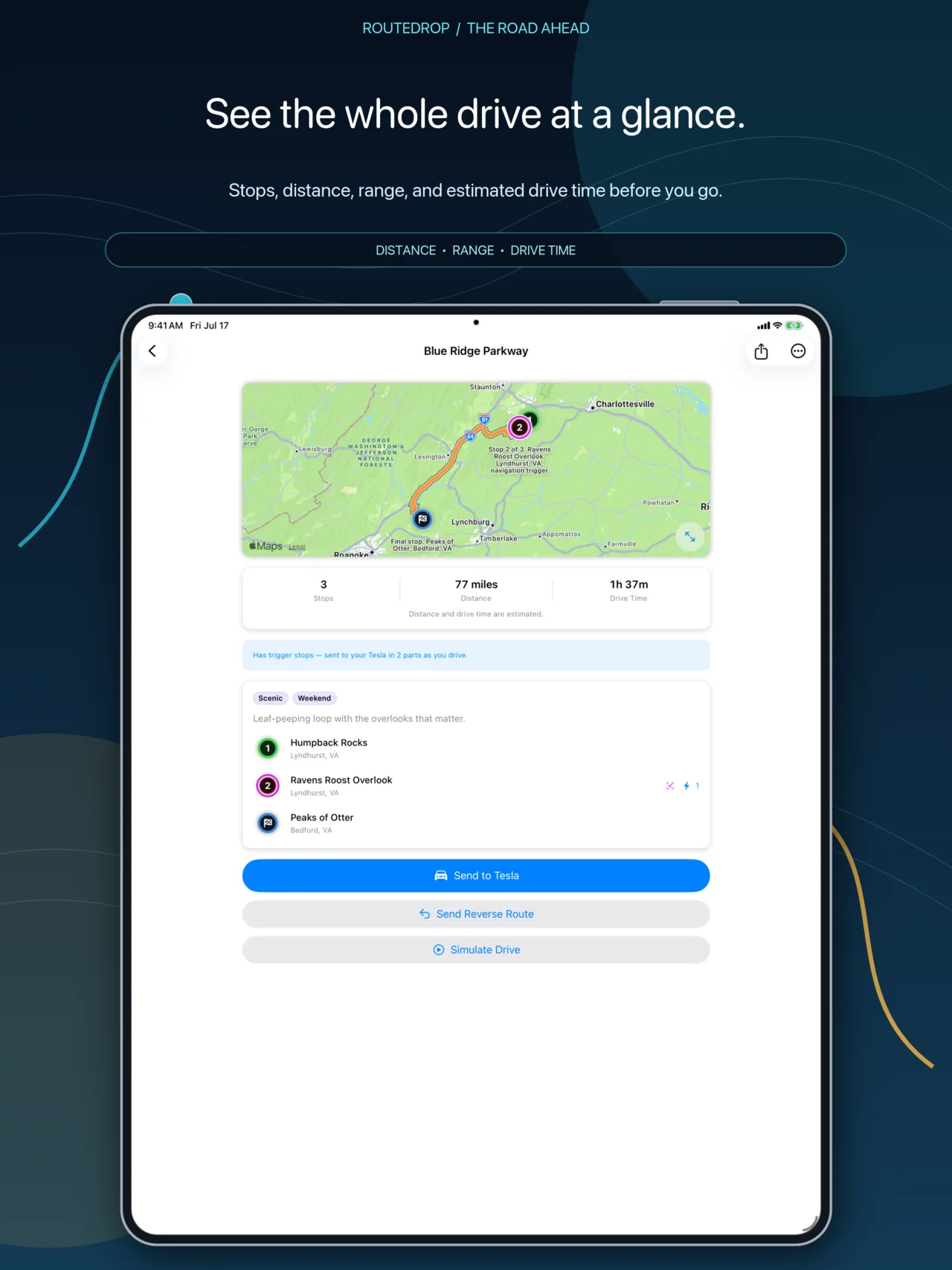
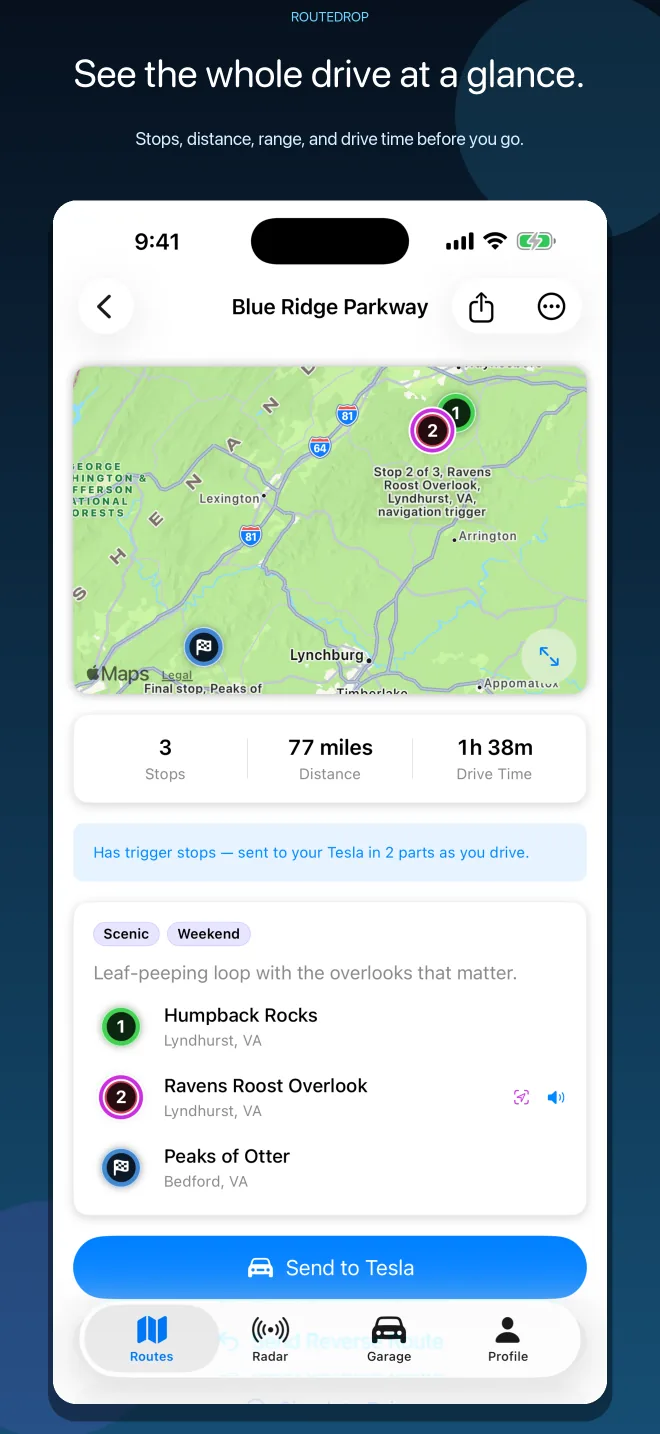
Review enabled stops, trigger circles, estimated distance, drive time, route line, charging options, and the actions waiting at each stop.

RouteDrop EV route details showing a route line, stops, estimates, and stop actions

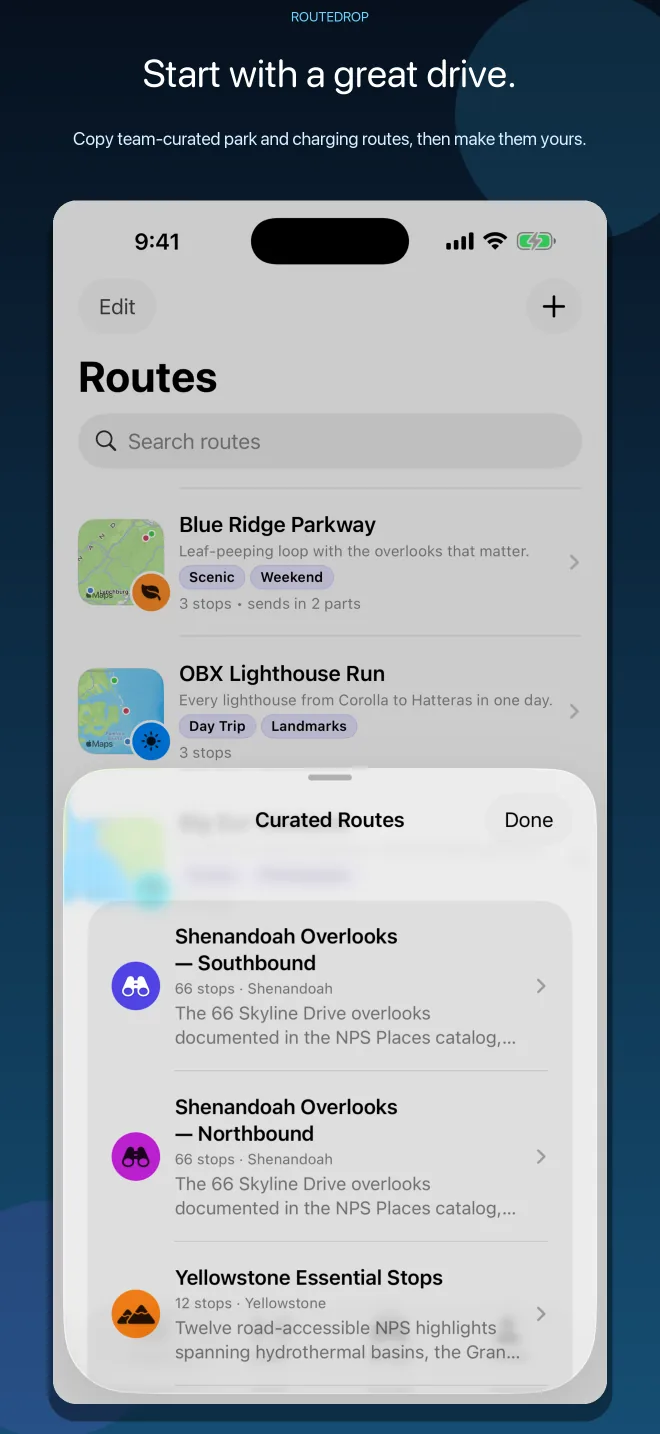
Start with a great route

Add an editable RouteDrop team-curated drive with offline artwork, or make a randomized local-business route with I’m Feeling Lucky.

RouteDrop EV curated routes catalog with national park and scenic drives

Send with context

Choose the mode and vehicle, then watch RouteDrop check the account, secure connection, route part, wake state, and Tesla confirmation.

RouteDrop EV guided Send to Tesla sheet with drive modes and vehicle selection

Full-featured on iPhone and iPad

Every feature. Either screen.

Build, edit, simulate, send, share, and drive from either device. iPad simply gives the same complete RouteDrop experience more room. These are production UI captures from the app—not website mockups.

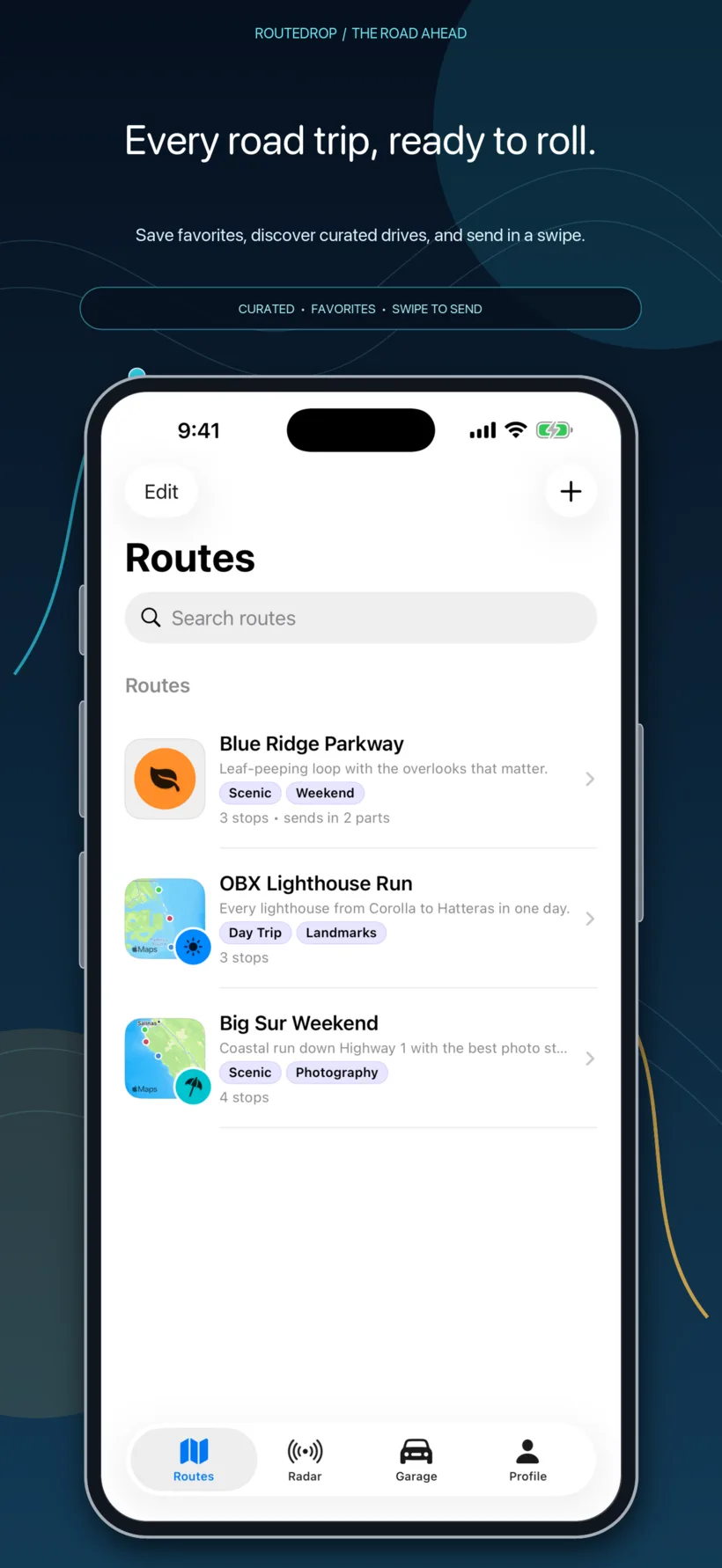
RouteDrop EV route library on iPhone with saved and curated drives
Browse, search, favorite, organize, and send from the iPhone route library.
RouteDrop EV route detail on iPad with map, route line, stops, distance, range, and drive time
Use the wider iPad canvas to study the route, estimates, and stops together.
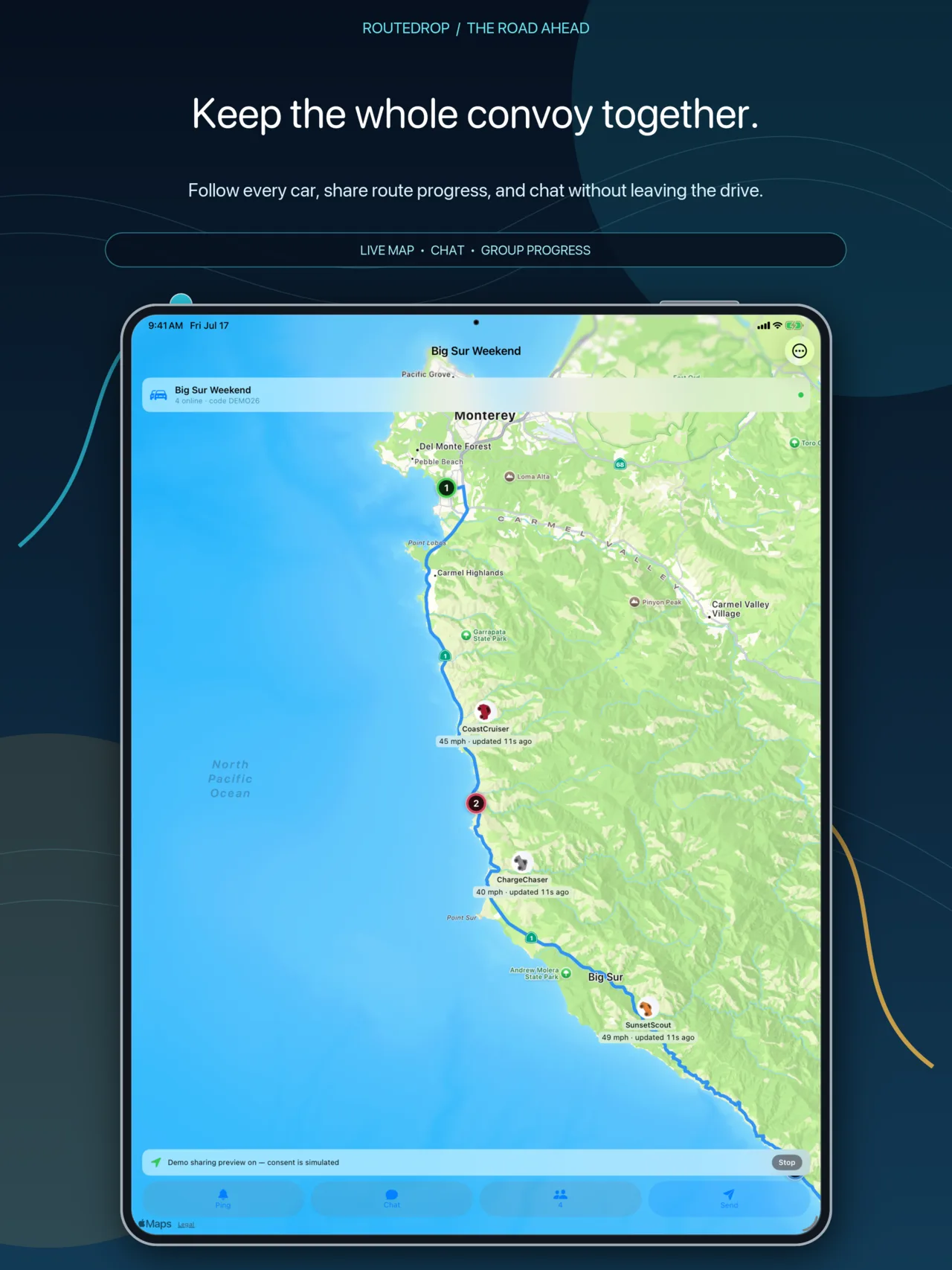
RouteDrop EV Convoy room on iPad with routed map, moving vehicles, roster, pings, and chat
Keep the group, shared route, quick pings, and live chat visible in Convoy.
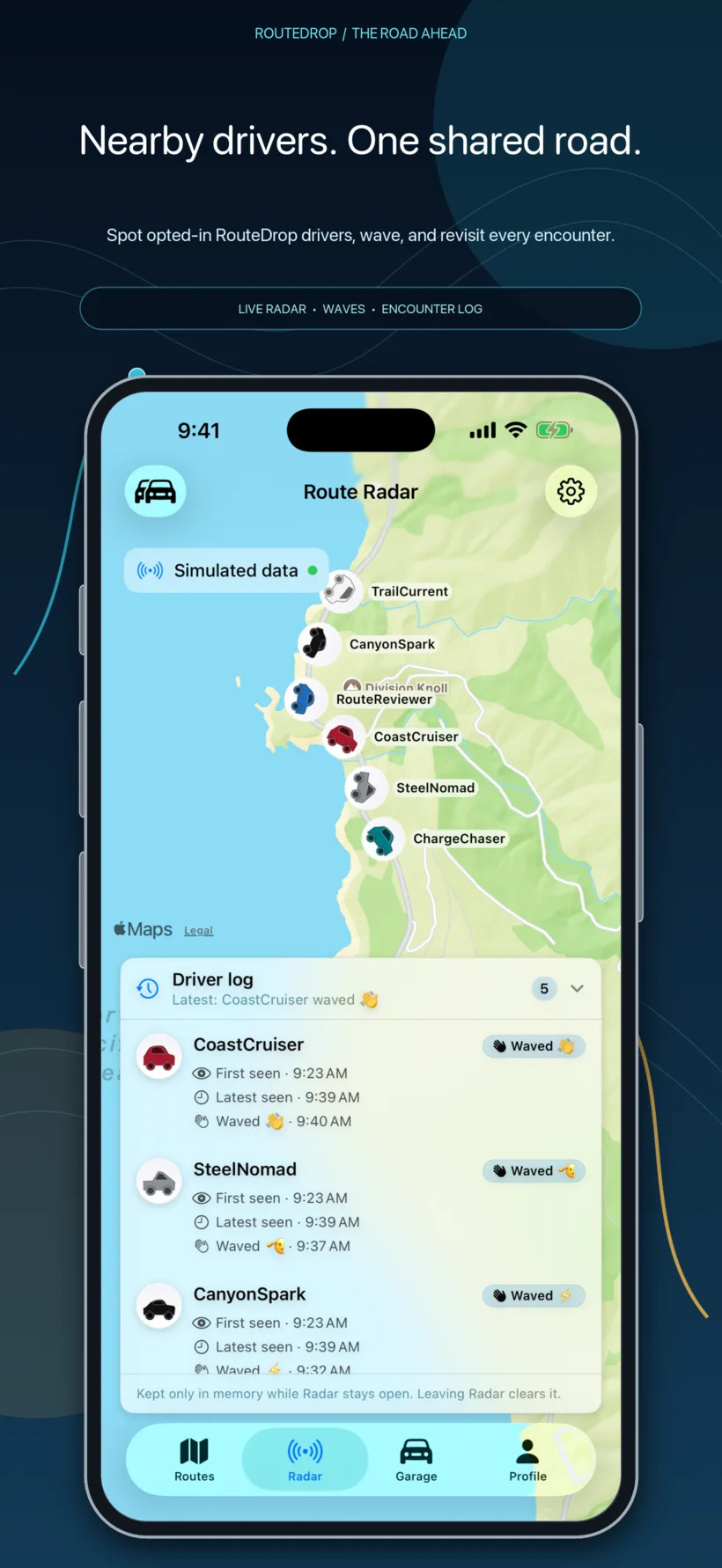
RouteDrop EV Route Radar on iPhone with nearby directional vehicles and driver log
See opted-in nearby drivers, wave, and keep a private Driver Log on your phone.

Choose your next turn

Go straight to what you came for.

Browse the complete feature set, follow a practical first-drive guide, or see why RouteDrop is local-first and explicit about every live connection.

Explore

See the whole app, feature by feature.

Routes, stop actions, Tesla sending, simulation, sharing, Radar, Convoys, Grok, system integrations, and plans—without hiding the details.

Explore RouteDrop EV

Help

Go from first pin to first drive.

Create or import a route, make its stops useful, rehearse every trigger, connect a Tesla when you are ready, and troubleshoot from states RouteDrop can prove.

Open the step-by-step guide

About

See what RouteDrop keeps local—and why.

Understand the product principles, privacy boundaries, optional live services, and the Barista Labs thinking behind the app.

Read why RouteDrop exists

There is more in every stop

Plan it. Rehearse it. Share it. Drive it.

RouteDrop EV covers the whole arc—from the first pin to the last arrival card, with tools for solo drives, caravans, scenic weekends, daily favorites, and routes you want to keep.

See the complete feature guide Coming soon on the App Store